Paste Me
A native clipboard manager for Mac, iPhone and iPad — privacy notice, support and documentation.
Paste Me
A native clipboard manager for Mac, iPhone and iPad. Paste Me keeps a searchable history of everything you copy (text, rich text, code, links, images, files and colors) and gives it back exactly as it was copied. With iCloud sync, the same history follows you across all your devices.
This repository holds Paste Me’s public documentation: privacy notice, terms, support, FAQ and release material. The app’s source code is private.
Highlights
- Everything you copy, instantly searchable. Press ⇧⌘V anywhere to open your history. Type to filter, then press ↩ to paste into the app you’re using.
- Pastes with the original formatting. Paste Me stores every format an app puts on the clipboard, so RTF, HTML, images and files come back intact. ⇧↩ pastes as plain text.
- Built for code. Paste Me detects 20+ languages and highlights them with 8 themes. Indentation stays exactly as copied, and line numbers are optional. You can also paste code as highlighted RTF into Notes, Mail or Keynote.
- Grouped by app. The Apps sidebar shows clips by the app you copied from. ⌥↑ / ⌥↓ step through apps without touching the mouse.
- Pins and pinboards. Keep snippets you reuse. Pinned items are never deleted automatically.
- “Paste As” transforms. Change case, convert to camel/snake/kebab case, pretty-print or minify JSON, Base64 or URL encode/decode, make a Markdown link or code block, and more.
- Private by design. Paste Me skips passwords that password managers mark as concealed, and ignores apps you exclude. It has no analytics, no tracking and no accounts. Read the Privacy Notice.
- Optional iCloud sync. History, pins and settings sync through your own private iCloud. On a new Mac, everything restores automatically.
- Free. No in-app purchases, subscriptions or ads. Every feature is included.
- Yours to tune. Choose the layout (shelf or list), fonts, code theme, image background, page size, history size limits, retention and global shortcuts.
Paste Me for iPhone and iPad
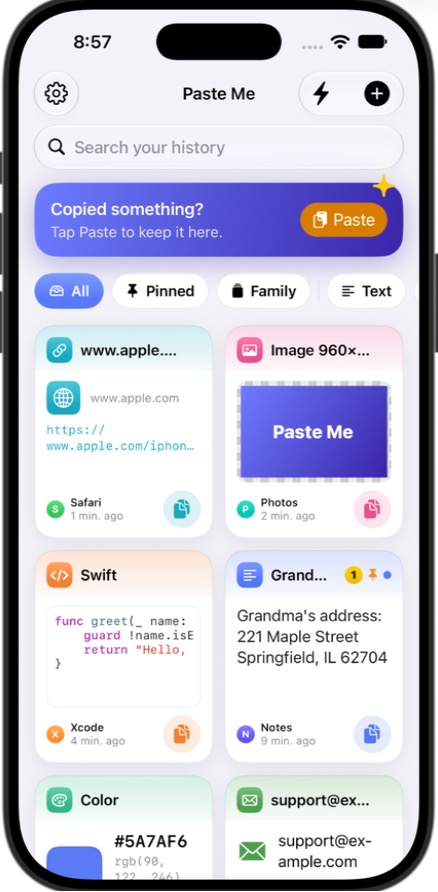
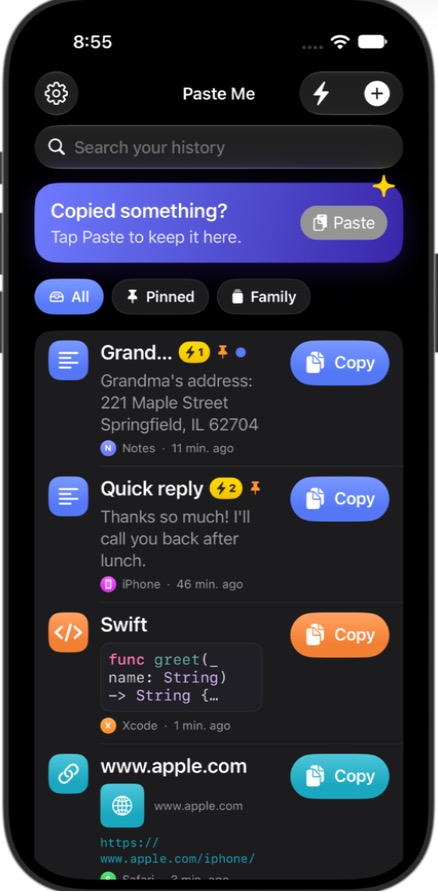
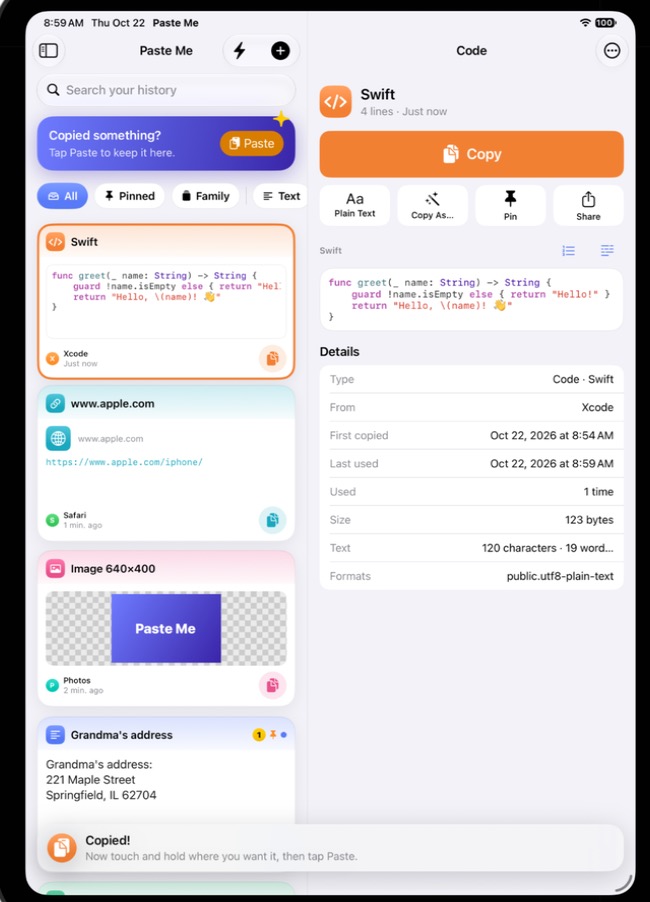
The same Paste Me, made for touch, and easy enough for anyone. Read the iPhone and iPad guide.
- One tap to save: the Paste button saves what you copied with no permission prompt. Paste Me can also save automatically when you open it, from the Share sheet, from its keyboard, or from Siri and Shortcuts.
- One tap to use: tap an item to copy it. Touch and hold for plain text, every “Paste As” conversion (with a live preview), pins, pinboards and Quick Paste slots.
- Paste Me Keyboard: type any item from your history, or a Quick Paste slot, straight into any app.
- In sync with your Mac: history, pins, pinboards, Quick Paste slots and shared settings sync through your own private iCloud.
- Easy for everyone: Simple Mode with bigger text and a Copy button on every item, a welcome tour, full Dynamic Type and VoiceOver support, Undo on delete.
- iPad: three-column layout, drag and drop, Split View and Stage Manager.
Requirements
- Mac: macOS 14 Sonoma or later
- iPhone and iPad: iOS 17 / iPadOS 17 or later
- Accessibility permission, only if you want the direct-download version to paste for you (why?). The Mac App Store version copies the item and you press ⌘V; it never asks for Accessibility.
- An iCloud account, only for sync
Documentation
| iPhone and iPad guide | Saving, using, Paste Me Keyboard, Quick Paste, Simple Mode and sync with your Mac |
| Privacy Notice | What Paste Me stores, where, and what never leaves your devices |
| Terms of Use | License and terms |
| Support | Getting help, reporting bugs, requesting features |
| FAQ | Common questions |
| Keyboard shortcuts | Every shortcut in one place |
| Changelog | What changed in each version |
| Security | Reporting a vulnerability |
| Release material | App Store listing, App Privacy answers, export compliance, notarization and release checklist |
Getting help
Open an issue using the bug report or feature request template.
Documentation © 2026 Giridhar Bhujanga, licensed under CC BY 4.0. “Paste Me” and the Paste Me icon are not covered by that license. macOS, iOS, iPadOS, iPhone, iPad and iCloud are trademarks of Apple Inc.